Mike’s e-commerce store was pulling in $50,000 per month. Not bad for a side hustle that started in his garage. But something bothered him. His conversion rate sat at 2.1% while his competitor was hitting 3.8% with similar products and pricing.
He couldn’t figure out what he was doing wrong.
Then Mike discovered his homepage took 4.2 seconds to load. His product pages? Even worse at 5.8 seconds. His competitor’s site loaded in under 2 seconds across the board.
After fixing his load times, Mike’s conversion rate jumped to 3.5%. His monthly revenue shot up to $83,000. Same products. Same prices. Same marketing budget. The only difference? His pages loaded faster.
That extra second of load time had been costing him $33,000 every single month.
This happens more often than you’d think. Store owners focus on product photos, descriptions, and marketing campaigns. Meanwhile, their slow-loading site quietly drives away thousands of potential customers every day.
Let me show you exactly how page speed kills your sales. More importantly, I’ll explain how to fix it before you lose another customer to a faster competitor.
The 3-Second Rule That’s Costing You Money
Here’s a brutal fact about online shopping. When your page takes 5 seconds to load, the bounce rate increases 90% compared to a 1-second load time. Think about that for a second. Nine out of ten extra visitors just leave without seeing your products.
Your customers aren’t patient. They’re not understanding. They don’t care that you have great products or amazing customer service. If your page doesn’t load quickly, they’re gone.
I see this pattern constantly. Store owners obsess over conversion rate optimization. They A/B test button colors. They rewrite product descriptions fifty times. They spend thousands on new themes and fancy features.
But they ignore the most important factor. Speed.
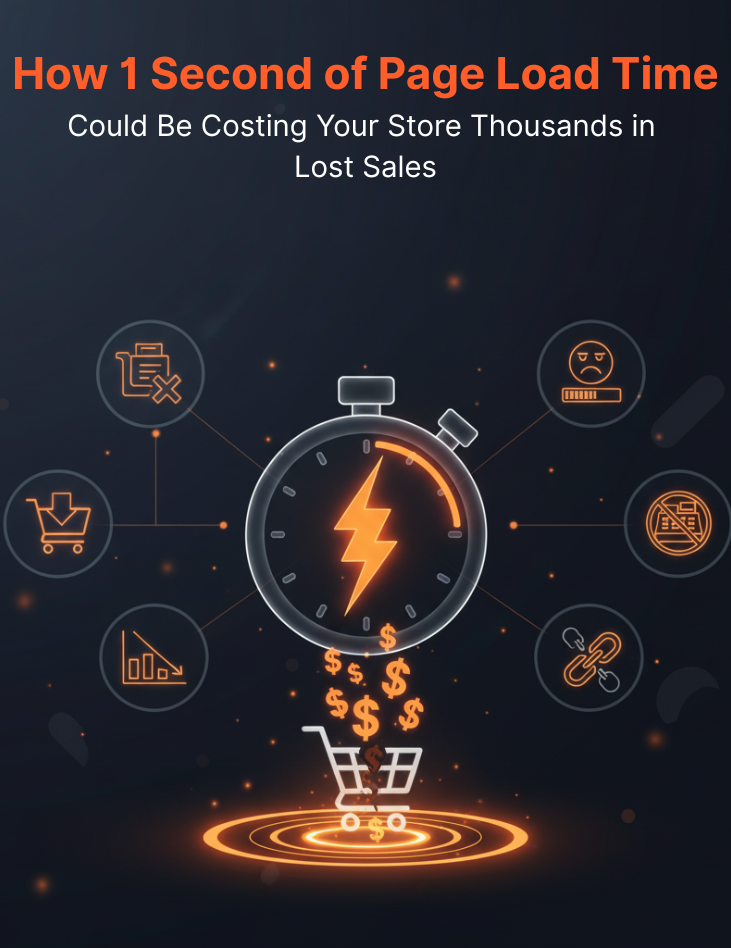
Even a one-second delay in page load time results in a 7% decrease in conversions. Let’s put that in real numbers. If your store makes $100,000 per year and your pages load one second slower than they should, you’re losing $7,000 annually. Just from that single second.
The math gets worse as your load times increase. A site that loads in 1 second converts three times better than one that loads in 5 seconds. For B2B sites, a 1-second load time produces conversion rates 5 times higher than a 10-second load time.
Your customers have options. Lots of them. If your site feels slow, they’ll find someone faster. It’s that simple.
Why Your Brain Tricks You Into Ignoring Speed Problems
Here’s the tricky part about page speed. You probably don’t notice your own site’s speed problems. Your brain plays tricks on you.
First, you visit your site constantly. Your browser caches everything. Images, CSS files, JavaScript – it’s all stored locally. So your site loads lightning-fast for you. But first-time visitors don’t have anything cached. They experience the full, painful load time.
Second, you know exactly where to click. You don’t hesitate or scroll around exploring. You go straight to what you need. Real customers browse differently. They hover over menus. They scroll up and down. They open multiple tabs. Each action triggers new loading sequences.
Third, you probably have a fast internet connection. Many of your customers don’t. They’re on mobile networks. They’re in areas with poor coverage. They’re using older devices. What loads instantly for you might take 10+ seconds for them.
I’ve watched store owners completely shocked when they test their site speed properly. They had no idea their customers were waiting 8 seconds just to see their homepage. Meanwhile, they wondered why their bounce rate was so high.
Test your site speed like a real customer. Use your phone on cellular data. Clear your browser cache first. Visit from different locations. You might be horrified by what you discover.
The Mobile Speed Trap That’s Eating Your Sales
Mobile traffic dominates e-commerce now. But mobile speed optimization is where most stores fail miserably. Your desktop site might load quickly, but your mobile experience could be costing you fortune.
Mobile users are even less patient than desktop users. They’re often multitasking. They’re in stores comparing prices. They’re on the go making quick purchase decisions. A slow mobile site doesn’t just lose sales – it loses sales at the exact moment customers are ready to buy.
The technical challenges are different too. Mobile devices have less processing power. Cellular connections are slower and less reliable. Images and videos that look fine on desktop can completely crush mobile performance.
I see stores lose 60% of their mobile traffic to speed problems. Their desktop conversion rate looks decent at 3%. But mobile converts at 0.8%. The difference? Desktop pages load in 2.5 seconds while mobile takes 9 seconds.
Your mobile site needs to load in under 3 seconds. Preferably under 2. Anything slower and you’re hemorrhaging mobile sales to faster competitors.
Optimize images aggressively for mobile. Remove unnecessary animations and videos. Minimize the number of plugins and scripts. Every element on your mobile site should have a clear purpose. If it doesn’t directly help customers buy, remove it.
The Psychology Behind Speed and Trust
Page speed affects more than just patience. It affects trust. Slow sites feel cheap, unprofessional, and unreliable. Fast sites feel modern, competent, and trustworthy.
Think about your own shopping behavior. You land on a slow-loading site and immediately question the business behind it. Are they technically competent? Do they care about customer experience? Can they handle my order properly? Will their checkout process work?
These doubts happen subconsciously. Customers don’t actively think “this site loads slowly, therefore I don’t trust them.” But the feeling develops anyway. Slow speed creates an impression of low quality that’s hard to overcome.
Premium brands understand this connection. Apple’s website loads incredibly fast. Amazon has spent billions optimizing for speed. They know that fast loading times reinforce their brand image of efficiency and quality.
Your site speed communicates your brand values whether you realize it or not. Slow loading times suggest you don’t prioritize customer experience. Fast loading times suggest you’re professional, modern, and customer-focused.
This psychological impact extends beyond the first page view. Customers form opinions quickly. If your homepage loads slowly, they assume your entire site will be slow. They might abandon before even seeing your products.
The Checkout Speed Crisis That Kills Conversions
Checkout page speed deserves special attention. This is where speed problems become directly expensive. Every second of delay at checkout costs you completed sales immediately.
Customers reach checkout with buying intent. They’ve decided to purchase. They’ve added items to cart. They’re ready to enter payment information. Then your checkout page takes forever to load. Doubt creeps in. They wonder if something’s wrong. Some leave to “think about it” and never return.
Payment processing delays are even worse. Customers click “buy now” and wait. And wait. They start wondering if their card will be charged multiple times. They worry the site might be broken. Some refresh the page or click back, abandoning their purchase entirely.
I’ve seen stores lose 40% of their checkout completions simply because the payment processing felt slow. The transactions actually went through fine. But the delay created enough anxiety to drive customers away.
Your checkout pages should be the fastest pages on your entire site. Remove all unnecessary elements. No promotional banners. No related product suggestions. No social media widgets. Just the essential checkout elements and nothing else.
Test your entire checkout flow regularly. From cart to completion. Time every step. Anything over 2 seconds needs optimization immediately.
The Image Optimization Goldmine
Images cause more speed problems than any other element on e-commerce sites. Product photos, lifestyle images, banners, backgrounds – they all slow down your pages if not optimized properly.
Most store owners upload images straight from their camera or designer. These files are enormous. A single product photo might be 3MB or larger. Multiply that by 10-20 images per page and you’re forcing customers to download 30-60MB just to see your products.
The solution isn’t using fewer images. Visual appeal drives e-commerce sales. You need great product photos and lifestyle images. But you also need them optimized for web delivery.
Compress every image before uploading. Use modern formats like WebP when possible. Implement lazy loading so images only load when customers scroll to them. Serve different image sizes for desktop vs mobile.
Image optimization alone can reduce page load times by 50-70% on many e-commerce sites. It’s often the single biggest speed improvement you can make with the least effort.
Don’t sacrifice image quality for speed. Find the balance. Your images should look great and load quickly. Modern compression techniques can achieve both goals simultaneously.
The Plugin Performance Trap
E-commerce platforms make it easy to add functionality through plugins and apps. Want live chat? Install a plugin. Need email marketing integration? Add another plugin. Social media feeds? Analytics tracking? Review systems? There’s a plugin for everything.
Each plugin adds code to your site. More code means longer load times. Some plugins are well-optimized and barely affect performance. Others are poorly coded and can double your page load times.
I regularly see stores with 30+ active plugins. Their sites load slowly but they don’t connect the dots. They think slow speed is normal for feature-rich stores. It’s not.
Audit your plugins monthly. Ask yourself: Do we actually use this feature? Is it driving sales or just cluttering our site? Can we achieve the same result with fewer plugins?
Remove any plugin you’re not actively using. For the ones you keep, research their performance impact. Some popular plugins are notorious speed killers. You might need to find alternatives or hire a developer to optimize them.
The goal isn’t to eliminate all plugins. It’s to be strategic about which ones provide enough value to justify their performance cost.
The Content Delivery Network Game-Changer
Content Delivery Networks (CDNs) can dramatically improve your site speed, especially for customers in different geographic locations. But many store owners don’t understand how CDNs work or why they matter.
When someone visits your site, their browser requests files from your web server. If your server is in New York and your customer is in Los Angeles, those requests travel 3,000 miles. Each round trip takes time. Multiply that by dozens of files per page and the delays add up quickly.
A CDN stores copies of your site files on servers around the world. When someone in Los Angeles visits your site, they get files from a server in Los Angeles instead of New York. The distance drops from 3,000 miles to maybe 50 miles. Load times improve dramatically.
CDN setup used to be complex and expensive. Now it’s simple and affordable. Most e-commerce platforms offer CDN integration with just a few clicks. The performance improvement often pays for itself through increased conversions within the first month.
If you’re not using a CDN, you’re handicapping your site speed unnecessarily. It’s one of the easiest performance wins you can implement.
The Real Cost of Doing Nothing
Speed optimization feels technical and complicated. Many store owners put it off indefinitely. They focus on tasks that feel more directly related to sales – new products, marketing campaigns, customer service improvements.
But page speed IS directly related to sales. Walmart found that improving load time by one second increased conversions by 2%, resulting in $200,000 additional revenue for a $10 million per year site.
Every day you delay speed optimization is another day of lost sales. Your competitors are optimizing their sites. They’re getting faster while you stay the same. The performance gap widens. Their conversion rates improve while yours stagnate.
Research shows that a 4-second page load time at a 2.93% conversion rate results in $335 in sales, while faster loading can prevent losses of over $1,190 in the span of 4 seconds. Scale those numbers to your traffic volume and the lost revenue becomes staggering.
The opportunity cost extends beyond immediate sales. Fast sites rank better in search results. They generate more word-of-mouth referrals. They create better customer experiences that drive repeat purchases.
You’re not just losing individual transactions. You’re losing the compound benefits of a fast, professional website.
Your Speed Optimization Action Plan
Start by measuring your current performance accurately. Use tools like Google PageSpeed Insights or GTmetrix. Test multiple pages, not just your homepage. Check both desktop and mobile performance.
Focus on the biggest impact improvements first. Image optimization usually provides the most dramatic results with the least effort. Compress all your images and implement lazy loading.
Audit your plugins and remove anything unnecessary. Every plugin should have a clear business justification. If you can’t explain how a plugin directly helps customers or drives sales, remove it.
Consider implementing a CDN if you’re not already using one. The setup is usually simple and the performance benefits are immediate.
Don’t try to fix everything at once. Pick one or two improvements and implement them properly. Test the results. Then move on to the next optimization.
Speed optimization is an ongoing process, not a one-time project. Set aside time monthly to review performance and make improvements. Your conversion rates will thank you.
The Bottom Line
Mike’s story isn’t unique. Thousands of store owners are losing sales every day to speed problems they don’t even know exist. The difference between a 2-second and 5-second load time isn’t just user experience. It’s real money flowing to faster competitors.
Your customers won’t tell you your site is slow. They’ll just shop somewhere else. By the time you notice declining conversion rates, months of sales have already been lost.
The choice is simple. Optimize your site speed now and watch your conversions improve immediately. Or keep ignoring it and watch faster competitors steal your customers one slow page load at a time.
What will you choose?